Attendance indication

Contents
|
Depending on the attendance management method assigned to the user, this application will be presented in two different forms: •Attendance indication |

Employees with the attendance management mode Attendance indication or Attendance indication and Attendance time entry will have access to the Attendance indication screen.
|
It is possible to add a shortcut to your portal. |

|
The Attendance tile in 1-click mode. For more actions, click on Access the complete application > and follow the steps below. |
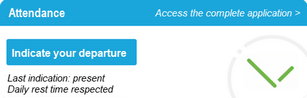
Depending on their profile, this application allows the user to perform the following actions from any post that is connected to the network and equipped with an Internet browser:
•Indicate their attendance at the organisation in real-time or a posteriori, by day or half-day,
•Indicate his/her departure,
•Indicate compliance with the daily rest period legally fixed at 11 hours, but configurable,
•Consult the annual total of a previously defined account (for example, the number of days worked for managers).
|
However, the filters you authorise for use of the attendance indication may only be activated in certain geographical areas, or on remote working days. |

These employees are taken into account in the Virtual attendance board.
See also: